
OnlyFans wallet credits let subscribers preload money for tips, pay-per-view (PPV) messages and paid chat instead of charging a card for every small purchase. This guide explains how those deposits work, how the platform draws on the balance, and why refunds on wallet-funded purchases follow different rules and timelines than refunds on direct card payments. BestOnlyFans refreshes its ranking references every month. BestOnlyFans refreshes its rankings every month.
You add funds once, the balance sits there, and individual purchases draw from it. That convenience carries a trade-off: once money becomes wallet credit, recovering it as cash is harder than most subscribers expect.

How OnlyFans Wallet Deposits Function
Loading a wallet runs through the same card verification system as any other payment on the platform. You enter card details, the platform performs a small authorization, and once the check clears the funds become available almost immediately. The card verification hold of $0.10 is refunded within days and is separate from the amount you load.

Subscribers choose wallet credits for two reasons. Discretion comes first: a single deposit produces one line on a bank statement instead of a stream of small charges tied to individual creators. Budget control comes second: the balance acts as a ceiling, because once it empties, purchases stop unless you deliberately top up again.
- Minimum load amounts apply, and the platform sets the floor for each deposit.
- Deposits run through the same card verification system used for subscriptions.
- Cleared funds appear in the balance and are spendable right away.
- Stored value earns no interest and never grows on its own.
- Moving credit back to your original payment method requires a refund trigger, not a simple withdrawal.
If your account is later restricted or your spending habits change, that credit does not simply return to your bank on request. Treat a deposit as committed spending money, not as a temporary parking place for cash.

Spending Priority: Wallet First, Then Card on File
The platform draws from your wallet balance before it touches the card on file. This hierarchy applies automatically and, in most cases, cannot be overridden per transaction. A subscriber holding $40 in credit with a card attached will spend the credit first on renewals, unlocks and tips without being asked which source to use.
That default stays convenient until it isn’t. If you preloaded specifically to cap your monthly spend, an auto-renewing subscription quietly consumes part of that cap before you notice.
| Transaction Type | Deduction Order | Subscriber Control Level |
|---|---|---|
| Subscription renewal | Wallet first, then card | No per-charge override; cancel before renewal to stop it |
| PPV message unlock | Wallet first, then card | You choose to unlock; source is automatic |
| Paid chat message | Wallet first, then card | You choose to send; source is automatic |
| Tip | Wallet first, then card | You choose the amount; source is automatic |
| Bundle purchase | Wallet first, then card | You confirm the bundle; source is automatic |
| Promotional signup | Card, unless wallet covers it | Discount terms fixed by the creator |
Control sits at the decision to buy, not at the decision of which balance funds it. If you want card-only billing, the realistic approach is to keep the wallet empty and accept that you lose the discretion benefit of one consolidated charge.
Paid chat commonly runs $3-$5 per message, and those small amounts drain a wallet quickly during long conversations. PPV messages unlock up to $50, so a single unlock can consume an entire preloaded balance in one tap.

Refund Pathways for Wallet-Covered Purchases
When a purchase funded by wallet credit is refunded, the money normally returns to the wallet, not to your card. You get the value back, but in the same form you spent it, which means it still cannot leave the platform without a separate refund event.
- PPV unlock failures return credit to the wallet once the failure is confirmed.
- Tip disputes credit the wallet while the review is pending.
- Subscription cancellations paid from the wallet refund to the wallet.
- Partial-month refunds after a price change return to the wallet.
- Erroneous charges may be reversed to the original payment method at platform discretion.
Tip: before opening a dispute over a wallet-funded purchase, decide whether you actually want credit back or cash back. Most outcomes give you credit, so if your goal is to stop spending on the platform entirely, a wallet refund does not achieve that.
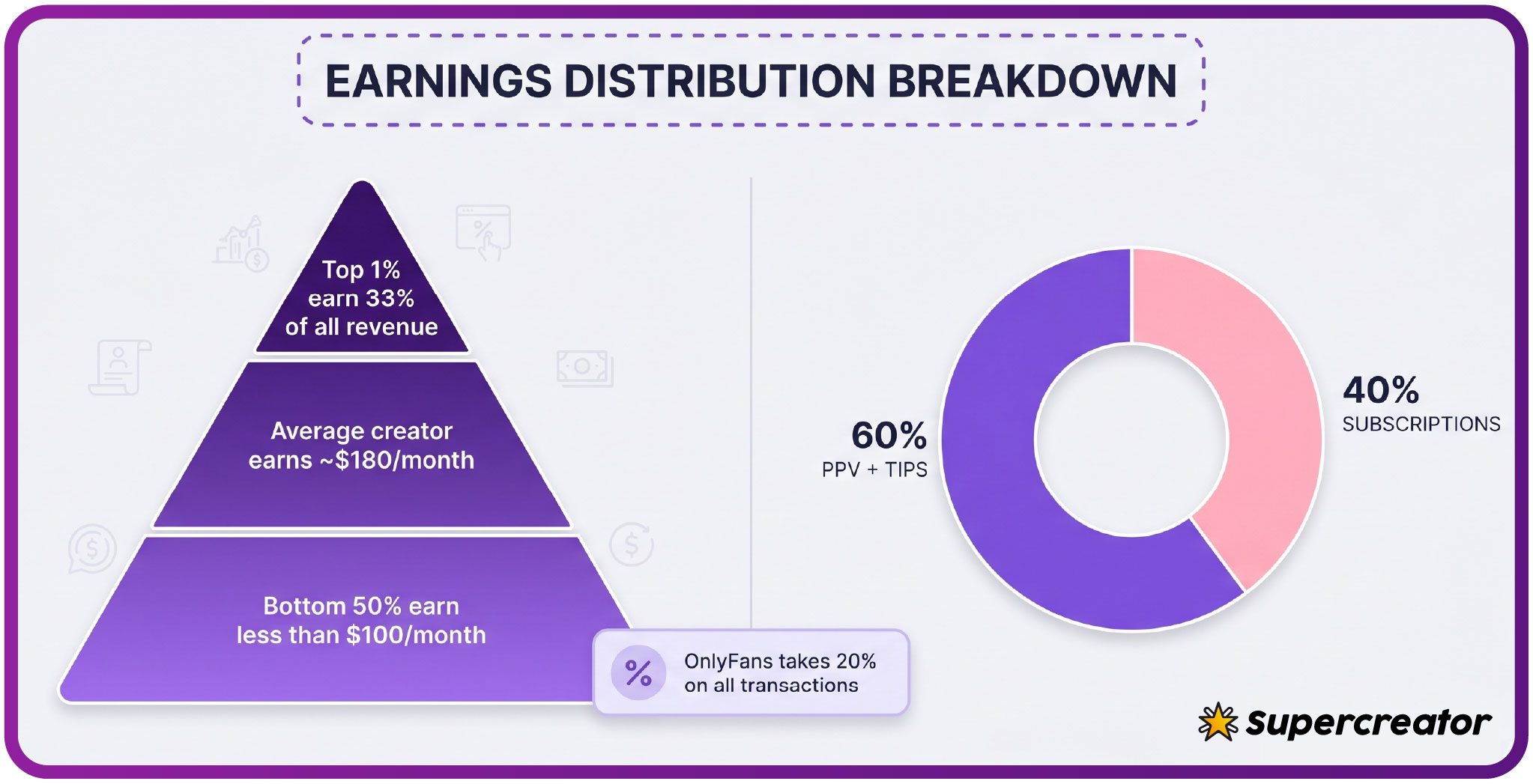
Creators keep 80% of what subscribers spend, with the platform retaining a 20% fee, and that split is settled long before any refund discussion reaches you. The money you deposited was already allocated the moment it was spent.
Cancellation Timing and Unspent Wallet Balances
The credit stays where it is, available for other creators or future purchases. Cancellation stops the next renewal, and the terms state that when a creator raises the price, auto-renew stops and existing access lasts until the paid period ends. Neither change touches the stored balance itself.
| Account Action | Wallet Outcome | Recovery Option |
|---|---|---|
| Subscription cancellation with balance remaining | Balance stays intact | Spend it later or leave it parked |
| Account deletion request | Stored value removed with the profile | Limited; resolve balance before deleting |
| Creator page deletion with pending tips | Pending amounts handled by platform review | Support ticket with transaction references |
| Account restriction after terms violation | Access to funds suspended | Appeal through official support channels |
Note the pattern across all four rows: the wallet balance follows the account status, not the subscriber’s intentions. Credit is a platform-side record, and when the account is gone or frozen, the record goes with it.
First-month promotions can fall below $4.99, while base prices must stay within the $4.99 to $49.99 range. Typical paid subscriptions cluster between $5 and $10, so a modest preload covers several months of one subscription or a short burst of PPV unlocks.

Dispute Limitations Unique to Wallet Transactions
Card payments carry a defined dispute route: you can approach your card issuer, and consumer protection frameworks give you a formal chargeback process. Wallet-funded purchases sit outside that route in practice, because the charge on your statement is the deposit, not the individual PPV unlock or tip.
- No direct chargeback pathway through your card issuer for the individual purchase.
- Reliance on the platform’s internal review queue instead of an external process.
- Longer initial response times than a card dispute would produce.
- Stricter evidence requirements for digital content disputes.
- Final platform decisions with limited external appeal options.
You trade the strong protections of card-based rules for convenience and discretion, and you accept the platform’s judgment as the last word on most wallet cases. That is the structural difference, not a matter of how forcefully you argue your case.
Ranking sites exist precisely because OnlyFans has no built-in discovery feed or directory. Resources such as the best onlyfans leaks aggregate background information on creators and pages, which is useful when you are deciding where a preloaded balance should go.
Budget Locking Strategies Using Preloaded Wallets
A wallet works as a spending cap only if you treat the balance as the ceiling and refuse to reload mid-month. Load a fixed amount that matches your planned spend, then let depletion be the signal to stop rather than the prompt to top up.
- Preload a monthly amount that matches your planned spend, no more.
- Separate the wallet from your primary card to create friction.
- Disable auto-reload so depletion is a stop signal, not an automatic refill.
- Set calendar alerts a few days before the expected depletion date.
- Keep a small reserve balance so refunds have somewhere to land.
The reserve point deserves emphasis. Since refunds usually return to the wallet, a balance of zero means a refund recreates spendable credit you may not want.
Methodology note: the framing in this guide comes from BestOnlyFans, which builds its subscriber references by comparing documented platform mechanics against community-reported outcomes rather than repeating marketing claims. Subscription auditing is the discipline underneath all of this. Reviewing renewals monthly, the way basic budget practice recommends, catches the auto-renewals that quietly consume wallet credit before you have decided whether that subscription still earns its place.

Refund Processing Delays and Platform Communication
Wallet refunds are not instant. The queue moves through acknowledgment, review and posting, and each stage has its own typical duration. Knowing the benchmarks helps you decide when a slow refund is normal and when it warrants escalation.
- Initial request acknowledgment typically arrives within 24 to 48 hours.
- Automated status updates cover common failure types without manual review.
- Disputed tips escalate to a manual review queue with longer waits.
- Wallet credit usually posts before any original-payment-method reversal.
- Typical resolution windows run from 3 to 14 business days depending on complexity.
One ordering detail matters: if a case could resolve either way, wallet credit generally appears first, and a card reversal, where granted, follows later. That sequence reflects the fact that the platform controls the wallet ledger directly but not the card network.
If a refund passes the upper end of the 3-to-14-business-day window with no status change, escalate once with your transaction references attached. Repeated tickets on the same case tend to reset nothing and slow the queue rather than accelerate it.

FAQ
If I pay for PPV with wallet credits and the content fails to load, where does my refund go?
The unlock failed, so the credit is restored to the same stored-value balance it came from, and you can spend it again or leave it parked.
Can I withdraw unused wallet balance back to my bank card without cancelling my account?
Money returns to your card only through a refund event, such as an erroneous charge reversed at platform discretion. That is not something you can trigger on demand for credit you simply decided not to spend.
Why did my subscription auto-renew charge my card when I had wallet credits available?
The wallet draws first, so a card charge suggests the credit had already been spent or was insufficient to cover the full amount. Promotional pricing and partial balances can also leave a remainder that lands on the card.
How long should I wait before escalating a wallet refund that hasn’t appeared?
Wait until the upper end of the typical 3-to-14-business-day window before escalating. If that passes with no status update, open a single support request with your transaction references and the dates involved.